Sürüklenebilir gruplandırma karışımı, başlığını hedef (mavi) alana sürükleyerek herhangi bir sütuna göre gruplandırmanıza olanak tanır.
Columns.cs'nize [GroupOrder] niteliklerini ekleyerek başlangıçta hangi sütunların gruplanması gerektiğini de ayarlayabilirsiniz.
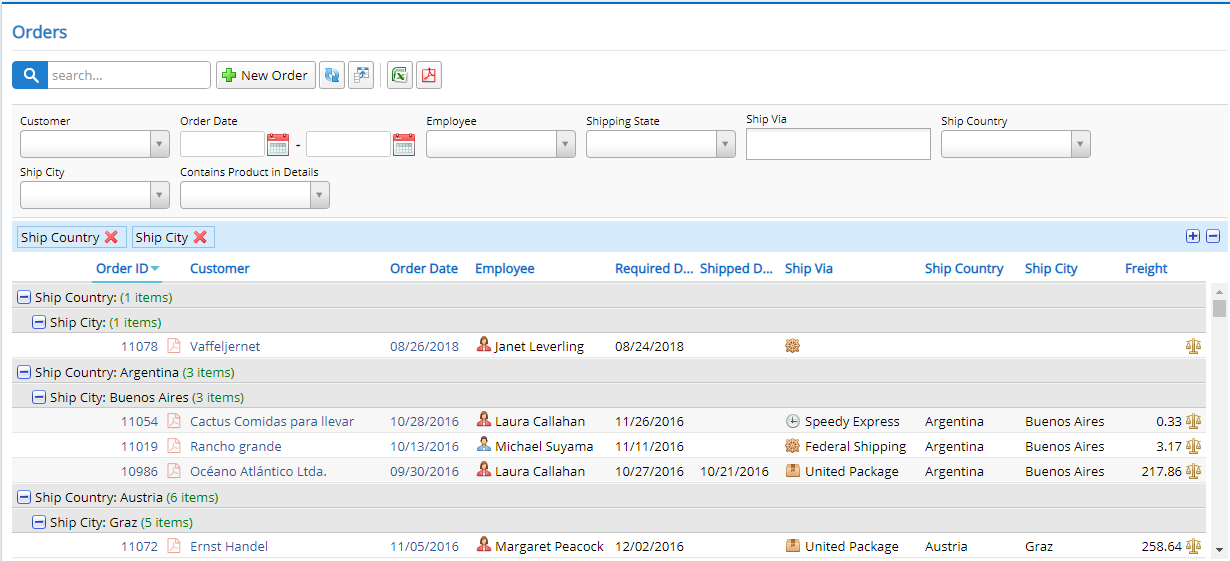
Bu örneğin nasıl uygulandığı aşağıda açıklanmıştır:
export class DragDropGroupingGrid extends Northwind.OrderGrid {

    protected createToolbarExtensions() {
        super.createToolbarExtensions();

        this.slickGrid.registerPlugin(new Slick.Data.GroupItemMetadataProvider());

        var groupingMixin = new Serenity.DraggableGroupingMixin({
            grid: this
        });

        // setting ShipCountry, ShipCity columns as initially grouped for this sample
        // you could add [GroupOrder(1)] to ShipCountry, and [GroupOrder(2)] to ShipCity
        // in OrderColumns.cs instead (recommended way)
        groupingMixin.plugin.setDroppedGroups(["ShipCountry", "ShipCity"]);
    }

    protected getSlickOptions() {
        var opt = super.getSlickOptions();
        // need to turn grouping panel ON for drag drop grouping to work properly
        opt.groupingPanel = true;
        return opt;
    }

    protected markupReady() {
        super.markupReady();

        // expanding all level 0 (Country) and level 1 (City) groups initially
        this.view.expandAllGroups(0);
        this.view.expandAllGroups(1);
    }
}
```